Exams
BLUEBOOK PRACTICE TESTS – AN ESSENTIAL SAT PREPARATION TOOL YOU SHOULDN'T MISS!
BLUEBOOK PRACTICE TESTS – AN ESSENTIAL SAT PREPARATION TOOL YOU SHOULDN'T MISS!
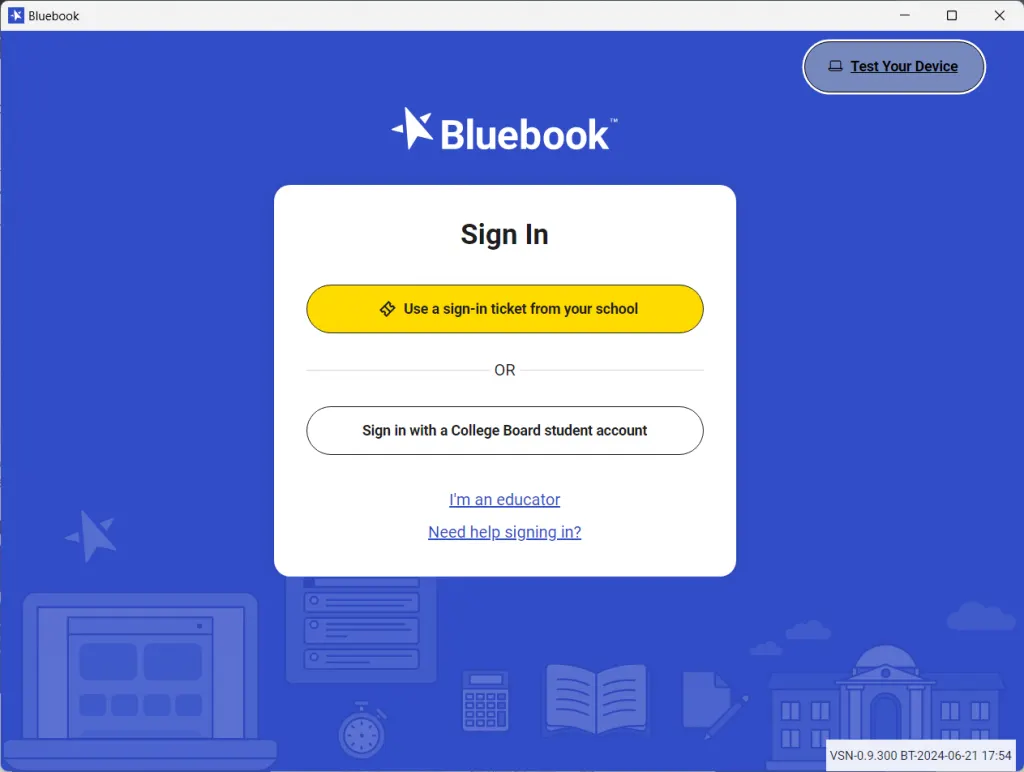
BLUEBOOK PRACTICE TESTS – THE OFFICIAL SAT PRACTICE TOOL FROM COLLEGE BOARD!
🔹 Preparing for the Digital SAT? Don’t overlook Bluebook – College Board’s official testing application, offering free practice tests to help you prepare for the actual exam!
✅ What is Bluebook?
- The official application that allows students to take full-length SAT practice tests on computers and iPads, closely replicating the actual exam experience in terms of format and difficulty.
- Includes 7 free practice tests, along with built-in testing tools such as a calculator and reference sheets.
✅ Why Should You Use Bluebook?
- An authentic testing interface: Get familiar with the actual exam environment, time pressure and calculator functions to feel more confident on test day.
- Automatic scoring: Receive your SAT practice score after completing the test, together with a breakdown of your performance across different sections.
- Integration with Khan Academy: Access personalised practice activities based on your areas of weakness.
DOWNLOAD BLUEBOOK NOW:
- Windows/Mac: https://bluebook.app.collegeboard.org
- iPad: Search for “Bluebook Exams” on the App Store.
HOW TO INSTALL AND SET UP BLUEBOOK – A COMPLETE GUIDE
✅ Step 1: Download the Application
- Windows/Mac: Visit the official Bluebook website and click “Download Bluebook”.
- iPad: Search for “Bluebook Exams” on the App Store.
✅ Step 2: Sign In and Configure Your Settings
- Open the application and sign in using your College Board account. If you don’t have one, you can create an account for free.
- Allow the application to access your microphone and camera if required for your testing arrangements.
✅ Step 3: Go to “Practice and Prepare”
- Select “Start Practice” to access the free practice tests.
- Familiarise yourself with the built-in testing tools, including the calculator and Mathematics reference sheet.
IMPORTANT TIPS
- Close unnecessary applications to minimise lag and avoid technical interruptions.
- Use headphones if you are practising in a noisy environment.
STRATEGIES FOR USING BLUEBOOK PRACTICE TESTS TO IMPROVE YOUR SAT SCORE
Taking Bluebook practice tests without a clear strategy is a waste of valuable preparation time!
Here are some effective ways to make the most of every minute of your practice sessions.
1️⃣ Simulate the Actual Testing Environment
- Enable Full-Screen Mode and avoid switching to other applications during the test.
- Follow the official time limits:
- Reading and Writing: 64 minutes (32 minutes per module).
- Math: 70 minutes (35 minutes per module).
2️⃣ Manage Your Time Effectively
- Reading and Writing: Aim to spend no more than 1 minute per question, prioritising easier questions first.
- Math: Aim to spend no more than 1.5 minutes per question. Skip challenging questions when necessary and return to them later.
3️⃣ Keep Track of Your Mistakes
- After completing the test, review your answers and carefully analyse the explanations for each question.
- Identify and record the three question types or topics where you make the most mistakes (e.g. Grammar – Parallel Structure).
TIP: Use Khan Academy, which offers SAT preparation resources integrated with College Board, to practise specific question types and strengthen your weaker areas!