HOW TO DOWNLOAD YOUR GED DIGITAL DIPLOMA AND TRANSCRIPT (eDiploma & eTranscript)
HOW TO DOWNLOAD YOUR GED DIGITAL DIPLOMA AND TRANSCRIPT (eDiploma & eTranscript)
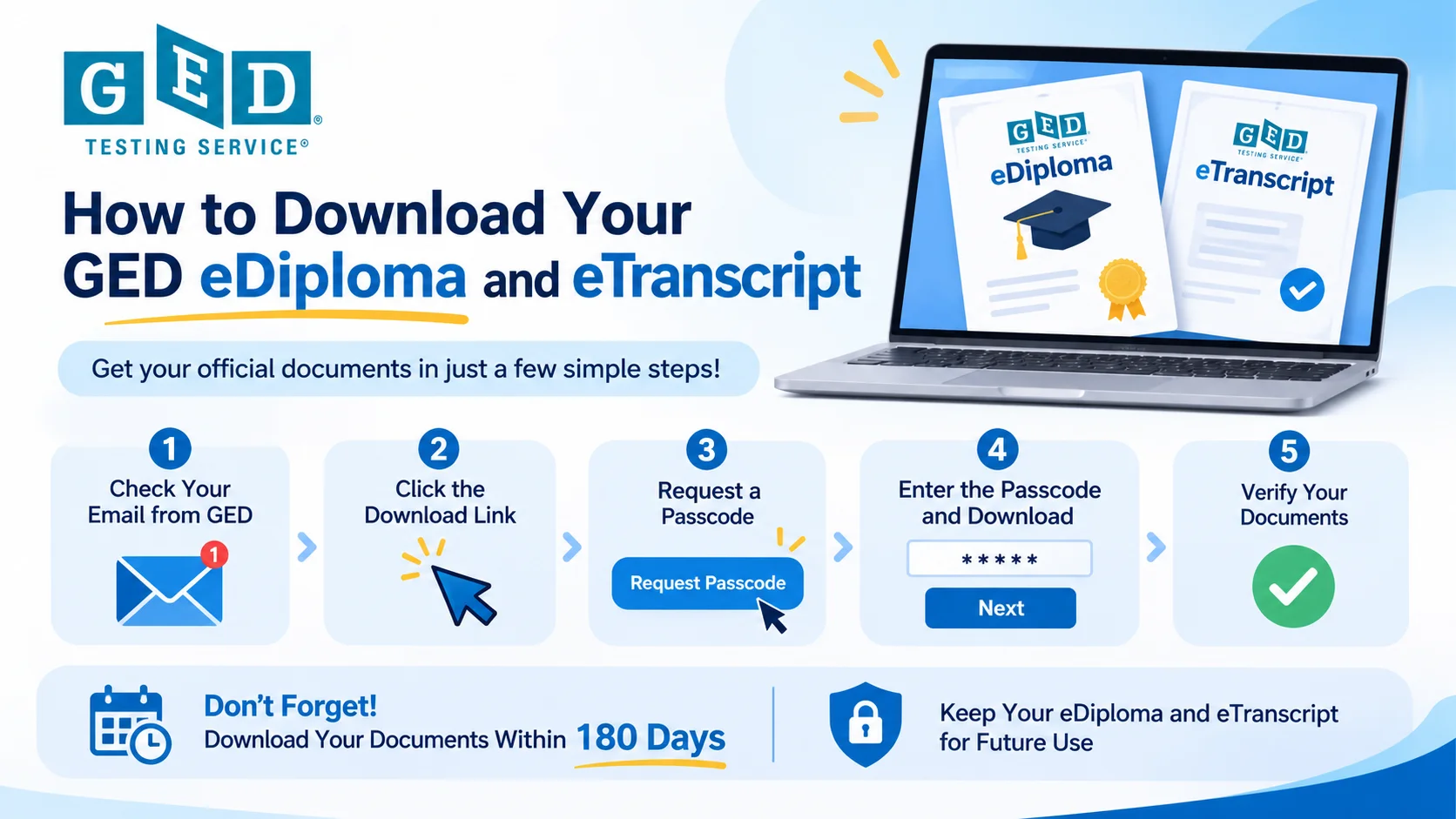
After successfully completing and passing all GED® subject tests, candidates will receive an email from GED Testing Service with instructions on how to access their digital diploma (eDiploma) and digital transcript (eTranscript).
These are important official documents that candidates should download and keep securely for future use, particularly when preparing academic applications, applying to study abroad, or completing other procedures related to their GED qualification.
In this article, Sarah Education provides a step-by-step guide to downloading your GED eDiploma and eTranscript to your device.
1. What Are the GED eDiploma and eTranscript?
After successfully completing all GED subject tests and meeting the passing requirements, GED – International, administered by GED® Testing Service and Parchment, provides candidates with:
- One free digital diploma (eDiploma)
- One free digital transcript (eTranscript)
Candidates are advised to download and save these documents as soon as they receive the instructional email from GED.
2. How to Download Your GED Digital Diploma (eDiploma)
Step 1: Check Your Email from GED
After successfully completing and passing all GED subject tests, you will receive an email from GED Testing Service.
The email subject line will be:
“Official GED Testing Service Diploma Enclosed # + your diploma identification number”
Please check your Inbox and other relevant email folders to locate this message.
Step 2: Click the Link in the Email
Open the email and click the instructional link to begin the digital diploma download process.
The link will direct you to the GED Testing Service website, where you can request access to your official credential documents.
Step 3: Request a Passcode
On the GED Testing Service website, select:
Request Passcode → Next
The system will prompt you to obtain an access code before proceeding with the digital diploma download.
Step 4: Check Your Email for the Passcode
After requesting the passcode, return to your email inbox. GED will send you a six-digit passcode.
Check your email carefully and copy the code for use in the next step.
Step 5: Enter the Passcode and Download Your Diploma
Return to the GED Testing Service website.
Enter the passcode you have just received in the designated field and click Next.
You can then proceed to download your digital diploma (eDiploma) to your device.
Step 6: Verify That Your Diploma Has Been Downloaded Successfully
Once the download process is complete, return to the main page of the GED Testing Service website to check and confirm that your digital diploma has been downloaded successfully.
You can verify this in either of the following ways:
Method 1: Open the Downloads folder on your computer to check whether the file has been saved successfully.
Method 2: On the website’s main page, check the remaining number of downloads displayed under “Downloads Remaining”, starting from the initial allowance of seven downloads.
3. How to Download Your GED Digital Transcript (eTranscript)
Once you have successfully downloaded your eDiploma, you can follow the same steps to download your digital transcript (eTranscript).
The email containing the transcript download link will have the following subject line:
“Official GED Testing Service Transcript Enclosed # + your transcript identification number”
Your GED transcript is an important document for maintaining a record of your academic results and may be required for future academic applications and related administrative procedures.
4. Important Reminder: Download Your Documents as Soon as Possible!
GED provides each candidate with the following documents free of charge:
- One eDiploma
- One eTranscript
However, the download links are subject to an expiration period. According to the instructions, the seven available downloads will expire after 180 days.
If the download link expires before you have downloaded your free digital documents, you will need to pay for a new order to obtain them again.
Therefore, even if you do not need to use your diploma or transcript immediately, we strongly recommend downloading and securely storing both documents as soon as possible. This will ensure that you can access them conveniently whenever they are needed in the future.
Sarah Education recommends that candidates keep secure backup copies of both digital documents to ensure easy access throughout their future academic journey and application processes.
Have you just completed your GED and are unsure about what to do next?
Contact Sarah Education for guidance on the next steps after completing the GED and advice on choosing an appropriate educational pathway.